
How to Fix Citation Inconsistency and Protect Your Local Rankings
Your business name is listed three different ways across the web. Your old address from two years ago is still appearing on four directory sites.
A phone number that was disconnected is showing up in Google’s index. None of this is visible to you in day-to-day operations, but Google sees all of it.
And every inconsistency is a small signal that your business data is unreliable.
NAP stands for Name, Address, and Phone number. NAP consistency is the practice of ensuring that these three identifying pieces of information match exactly across every platform where your business appears.
Getting this right is not glamorous local SEO work, but the businesses that ignore it are building their entire optimisation effort on a foundation with cracks in it.
This guide shows you how to audit, fix, and maintain NAP consistency across your full digital footprint.
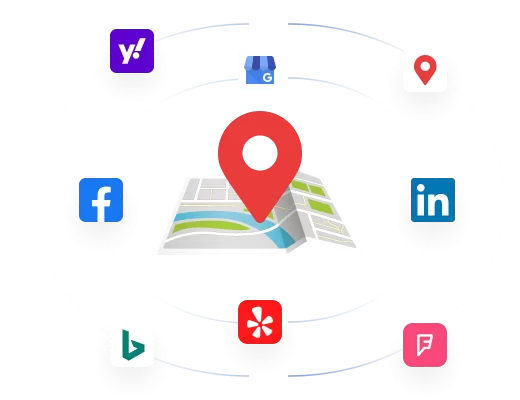
Google builds its understanding of a local business as an entity by cross-referencing data from multiple sources: your GBP profile, your website, directory listings, social profiles, and any other indexed mention of your business across the web.
When the name, address, and phone number match across all of these sources, Google’s entity confidence in your business increases.
When they conflict, Google’s confidence decreases, and lower confidence translates to lower ranking positions.
The mechanism is not a single penalty for inconsistency. It is a continuous, cumulative signal that either reinforces or undermines the trust Google extends to your business data.
A business with perfectly consistent NAP across 50 citation sources sends a clear, unambiguous location and identity signal.
A business with five different versions of its name across the same 50 sources sends a confused signal that Google resolves by trusting your data less.
The most common sources of NAP inconsistency
NAP inconsistency rarely happens because of careless mistakes at setup.
It usually accumulates over time from predictable events:
- Business moves: the old address remains in directories that were never updated after a location change. These outdated citations actively conflict with your current GBP address and confuse Google’s entity understanding.
- Phone number changes: a disconnected or redirected number persists in indexed directories. Anyone who calls it gets a wrong number or no answer, which undermines the trust the citation was supposed to build.
- Name variations: the business was incorporated as ‘Johnson and Associates LLC’ but registered on GMB as ‘Johnson Associates’ and listed on Yelp as ‘Johnson & Associates.’ All three are the same business but Google’s entity reconciliation has to work harder to confirm it.
- Abbreviation inconsistency: ‘Street’ vs ‘St,’ ‘Avenue’ vs ‘Ave,’ ‘Limited’ vs ‘Ltd’ each variation is a minor inconsistency that, multiplied across dozens of citations, creates a weak entity signal.
- Agency or directory auto-population: when directories pull business data from aggregators, they sometimes import outdated or incorrect information. Without active monitoring, these incorrect citations accumulate unseen.
The key factor is this: NAP consistency is not about any single citation being wrong. It is about the aggregate signal your citation profile sends to Google. The more consistently your business information matches across every indexed source, the more confident Google can be that your business exists at the stated location, serves the area you claim, and is the legitimate business your GBP profile describes.
Audit Your GBP Against the Top 3 in Your Market
GMB Crush runs a full GBP audit comparing your profile against your top three ranking competitors for any keyword and location. Spot the gaps that are costing you Map Pack positions.
A NAP audit is the process of identifying every place your business information appears online and checking each instance for accuracy and consistency against your master NAP: the name, address, and phone number as they appear on your GBP profile and your website.
Step 1: establish your master NAP
Before you can audit for inconsistencies, you need to define the correct version of each element that everything else should match.
Your master NAP should be:
- Business name: your exact legal or trading name with no abbreviations, no keywords, and no additional descriptors. Whatever appears on your business registration, your lease, and your signage is your master name.
- Address: your full address formatted exactly as Google formats it in your GBP profile. Note the precise formatting of street type (‘Street’ not ‘St’), any suite or unit numbers, and the correct postcode or zip code.
- Phone number: your primary business number formatted consistently decide on one format and apply it everywhere. In the UK, 01234 567890 or +44 1234 567890, not both. In the US, (555) 867-5309 or 555-867-5309, not both.
Write this master NAP down and keep it as a reference document.
Every citation you encounter should be checked against this exact version.

Step 2: discover your existing citations
Search for your business across Google to find every indexed mention of your NAP data:
- Search your exact business name in quotes in Google: “Smith Plumbing London” review every result for NAP accuracy.
- Search your phone number in quotes: “020 7123 4567” this surfaces any directory or listing that has your number, including ones you did not create yourself.
- Search your address in quotes: “14 High Street, Manchester” finds any listing tied to your physical address.
- Check the major directories and platforms relevant to your category directly: Google Business Profile, Apple Maps, Bing Places, Yelp, Facebook, your industry-specific directories.
Build a spreadsheet as you go. Record the URL of each citation, what name/address/phone it shows, and whether it matches your master NAP.
This becomes your audit document and your correction to-do list simultaneously.
Step 3: prioritise by authority
Not all citation sources carry equal weight in Google’s entity evaluation.
Correct the highest-authority sources first, because inaccurate data on high-authority platforms has a proportionally greater negative effect than the same error on a low-authority directory.
Priority order for most local businesses:
- Your GBP profile the primary and highest-authority citation source
- Your website footer and contact page
- Apple Maps and Bing Places
- Major national directories relevant to your category
- Social profiles: Facebook Business Page, LinkedIn Company Page
- Industry-specific directories and associations
- General local directories in your area
- Website NAP: Single and Multiple Locations
Your website is the second highest authority source for your NAP data after your GBP profile.
It is the source Google trusts most to confirm the identity of your business, and it is the source against which all other citations are implicitly cross-referenced. Getting your website NAP right is the foundation that every other citation fix builds on.
Single location: where to place your NAP
For a single-location business, your NAP should appear in three places on your website as crawlable text not embedded in images, not as a graphic, and not in a format that search engines cannot read:
- Site-wide footer: your business name, full address, and phone number in the footer ensures they appear on every page of your website. This is the highest-impact placement for entity signal purposes.
- Contact page: full NAP plus any additional contact details, a map embed, and your opening hours. This is where Google most directly cross-references your website data against your GBP profile.
- Homepage: at minimum your phone number prominently displayed, ideally your address in the header or near the main call to action. Patients, customers, and search engines all look here first.
Formatting consistency matters here as much as accuracy.
If your GBP profile shows ‘Smith Plumbing Ltd,’ your website should not show ‘Smith Plumbing Limited’ or ‘Smith Plumbing.’
Choose one format and apply it identically across both.
Multiple locations: a separate NAP for each
Multi-location businesses face the most complex NAP management challenge.
Each location needs its own distinct NAP, and the common mistake putting headquarters NAP data in a site-wide footer and nothing location-specific creates a conflated entity signal that confuses Google about which information belongs to which location.
The correct structure for multi-location businesses: a unique location page for each branch, with the specific NAP for that location on its own page, linked from your main locations or find-us page.
The site-wide footer should contain only your headquarters or primary location NAP, not aggregate or mixed data from multiple sites.
Schema markup is structured data code that you add to your website to give Google explicit, machine-readable information about your business.
Where standard text forces Google to infer your NAP from unstructured content, LocalBusiness schema tells Google directly and unambiguously what your name, address, and phone number are.
This reduces entity reconciliation work for Google and increases the confidence it can apply to your business data.
The LocalBusiness schema implementation
The most effective schema type for local business NAP is LocalBusiness, or a more specific subtype where applicable (Dentist, LegalService, Plumber, Restaurant, etc.). A basic implementation looks like this:
					<script type="application/ld+json">
{
  "@context": "https://schema.org",
  "@type": "LocalBusiness",
  "name": "Smith Plumbing Ltd",
  "address": {
    "@type": "PostalAddress",
    "streetAddress": "14 High Street",
    "addressLocality": "Manchester",
    "postalCode": "M1 1AA",
    "addressCountry": "GB"
  },
  "telephone": "+44 161 123 4567",
  "url": "https://www.smithplumbing.co.uk",
  "openingHours": "Mo-Fr 08:00-18:00",
  "geo": {
    "@type": "GeoCoordinates",
    "latitude": 53.4808,
    "longitude": -2.2426
  }
}
</script>
Add this code to the head section of your homepage and your contact page.
For WordPress sites, this can be added through an SEO plugin like Rank Math or Yoast, or directly in the theme’s header.
Google’s Rich Results Test (search ‘Google Rich Results Test’) allows you to verify that your schema has been correctly implemented after adding it.
Why the name in schema must match your GBP exactly
The name field in your LocalBusiness schema should match your GBP business name character for character.
If Google detects a mismatch between the name in your schema markup and the name on your GBP profile, it reduces its confidence in both sources. This is one of the most common and most easily preventable entity signal problems on local business websites.
Copy your name from your GBP profile directly into your schema markup rather than typing it from memory.
Multi-location schema
For businesses with multiple locations, add separate LocalBusiness schema to each location page with the specific name, address, phone, and coordinates for that branch.
Do not add a single schema block to your homepage trying to represent all locations Google cannot resolve this into distinct entity signals for each location.
One schema block, one location, one page.
Your Competitors Are Already Using GMB Crush
GBP audits, geo-grid ranking maps, competitor category analysis, review monitoring, and AI Overview insights. All in one platform. Start your 14-day trial today.
- Fixing and Updating Inconsistent Citations
Once your audit spreadsheet is complete and your master NAP and website are set correctly, you are ready to work through the correction list.
This is methodical work rather than technical work. The process is consistent across every platform.
Platforms where you have account access
For any directory or platform where you created the listing and have login access, the correction is straightforward: log in, navigate to your business information, update the name, address, and phone to match your master NAP exactly, and save.
Do this for your GBP profile, Apple Maps Connect, Bing Places, Facebook Business, and any industry directories where you registered directly.
When updating your GBP profile specifically: if you are making a significant change such as a business name correction or address update, make only that change in one session.
Do not make multiple significant changes simultaneously. Google’s automated systems may flag a profile that changes several primary fields at once, which can trigger a review process that temporarily restricts visibility.
Platforms where you do not have account access
Some citations were created by aggregators or third-party data providers rather than by you.
You may not have login access to correct these directly. Options in order of effectiveness:
- Search the directory for a ‘claim this listing’ or ‘edit this listing’ option. Most major directories allow business owners to claim and correct their entries.
- Use the directory’s contact or support form to request a correction. Most directories have a process for this, though response times vary.
- For high-authority directories that are unresponsive to direct contact, ensure that your GBP profile, your website, and the highest-authority directories in your category all show the correct data. Over time, Google’s index will update its understanding based on the preponderance of correct information from trusted sources.

Outdated listings that should be removed
Some listings are not worth correcting. If a directory has negligible authority, is spammy, or contains information so outdated that it was created for a previous location or phone number, requesting removal is more effective than correction. Search the directory for its data correction or listing removal request process.
Duplicate GBP listings require special attention. If you discover that your business has more than one GBP profile a common result of agency handovers, previous owner accounts, or automatic profile creation the duplicate should be merged or removed rather than left uncorrected.
Duplicate GBP listings split your review profile, divide your ranking signals, and create a direct entity conflict in Google’s systems.
Use the ‘Suggest an edit’ function on the duplicate listing to mark it as permanently closed, then report it as a duplicate through Google’s support process.
For businesses operating multiple locations, NAP management is an ongoing operational function rather than a one-time audit.
The complexity scales with the number of locations, and the mistakes that create the most significant ranking problems for multi-location businesses are predictable and preventable.
The mistakes multi-location businesses most commonly make
- Using the same phone number for multiple locations on GBP. Each location must have its own unique phone number. Shared numbers prevent Google from distinguishing between locations as distinct entities and dilute the individual ranking signals of each.
- Not updating citations when a location closes or moves. An active citation for a closed location sends a conflict signal about your brand’s reliability. Each location closure or move requires the same NAP audit process as an initial setup, applied to every citation for that specific location.
- Duplicate listings created through acquisitions or rebrands. When a business acquires another brand or rebrands a location, the old listings often persist. These need to be identified and either merged into the new entity or removed.
- Centrally managed GBP profiles with location-specific data errors. When a central team manages GBP profiles for multiple locations, local errors in hours, addresses, or phone numbers are often introduced and go undetected because the person who would notice is not the person managing the profile.
Building a multi-location NAP monitoring system
For businesses managing more than three or four locations, manual NAP monitoring across all citation sources becomes operationally impractical.
The practical solution is a structured quarterly review process: a spreadsheet per location tracking the primary citations, reviewed and updated every quarter, with special attention to any location that has moved, changed phone numbers, or rebranded in the period since the last review.
GMB Crush’s multi-profile monitoring flags changes on your tracked GBP profiles in real time, giving you an immediate notification when any profile’s information has been altered whether by a team member, by a user-submitted edit, or by Google’s automated systems.
For agencies managing multiple client locations, this replaces the manual login-and-check process with an automated alert that surfaces only the locations that need attention.
Stop Optimising Without the Full Picture
NAP consistency is one layer of your local SEO foundation. GMB Crush shows you the full picture: how your profile, rankings, and competitor gap look across your entire market.
Recommended Reading
GBP Optimization: the complete 14-step guide to ranking in the Local 3-Pack
- GMB Crush Takeaways
NAP consistency is foundational local SEO work. It does not produce the dramatic ranking movements that category optimisation or review velocity produce, but inconsistent NAP data quietly undermines every other optimisation effort by reducing Google’s confidence in your business entity.
Here is the action sequence:
- Define your master NAP before doing anything else: the exact name, address, and phone number that every citation should match. Copy your business name from your GBP profile to ensure character-level consistency with your most authoritative citation source.
- Audit your existing citations: search your business name, phone number, and address in Google to find every indexed mention. Build a spreadsheet of what you find and what each source shows.
- Fix your website first: ensure your NAP appears as crawlable text in your footer, on your contact page, and on your homepage. Add LocalBusiness schema markup with your exact NAP data to your homepage and contact page.
- Correct citations in authority order: GBP and website first, then Apple Maps and Bing, then major national directories, then industry-specific directories, then general local directories.
- For multi-location businesses: audit each location independently, ensure each has a unique phone number on its GBP profile, and set a quarterly review schedule to catch location-specific changes before they compound into persistent citation conflicts.
A business with perfectly consistent NAP data is giving Google no reason to doubt its entity information.
That confidence translates into a cleaner local ranking signal that makes every other optimisation effort more effective. Clean the foundation, then build on it.
One Platform. Every Local Ranking Signal.
Audit, optimise, track, and outrank. GMB Crush gives local businesses and agencies the data to build and maintain the entity coherence that drives consistent Map Pack rankings. 14-day trial, no credit card required.