

The Complete Management Guide
Managing a single Google Business Profile is straightforward. Managing five, fifteen, or fifty of them is a different operational challenge entirely.
Each location competes independently in its own local market, needs its own profile built and maintained to the same standard, and can be undermined by errors on the others if NAP data or listing structures create entity conflicts.
The businesses and agencies that get multi-location GBP management right at scale are the ones that understand how to treat each location as an independent local entity while maintaining coherent oversight across the full portfolio.
This guide covers the complete picture: how to set up and structure multiple GBP locations correctly, the SEO implications of each location as a distinct competitive entity, how to manage reviews and posts efficiently at scale, the five most common multi-location mistakes that cost Map Pack positions, and how to monitor a large portfolio without letting individual locations fall behind.
Table of Contents
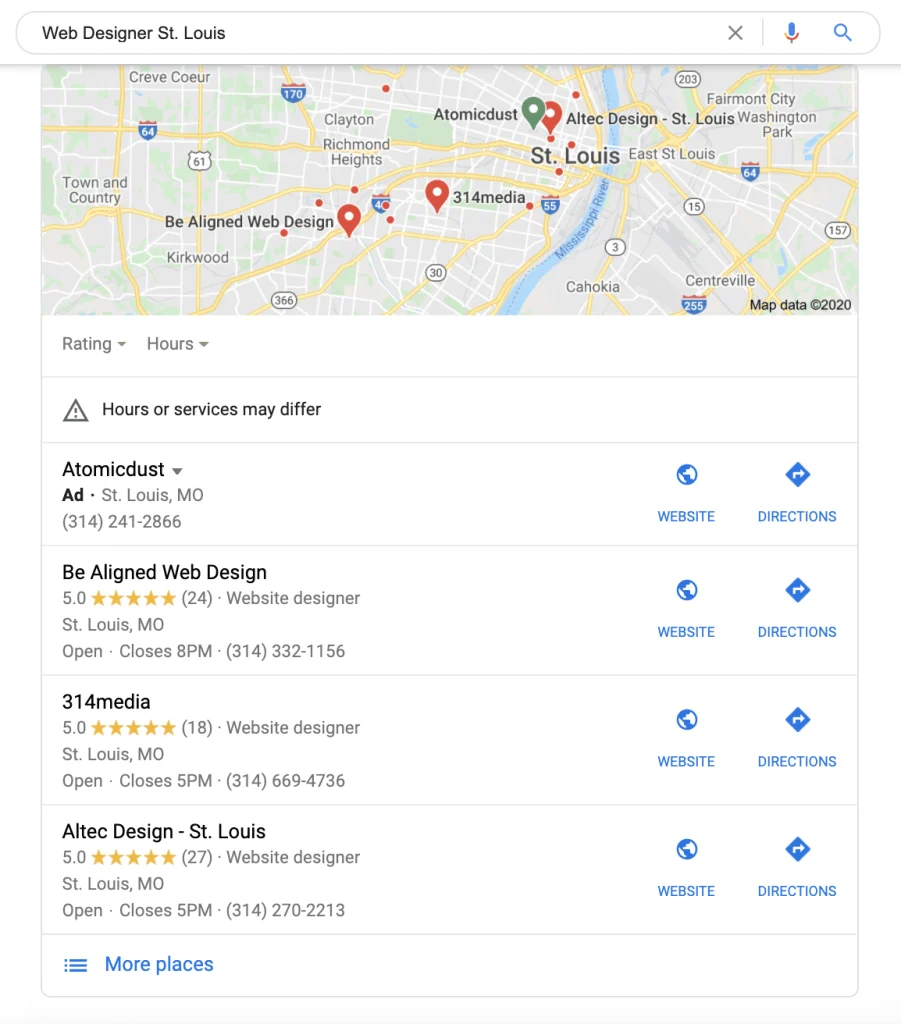
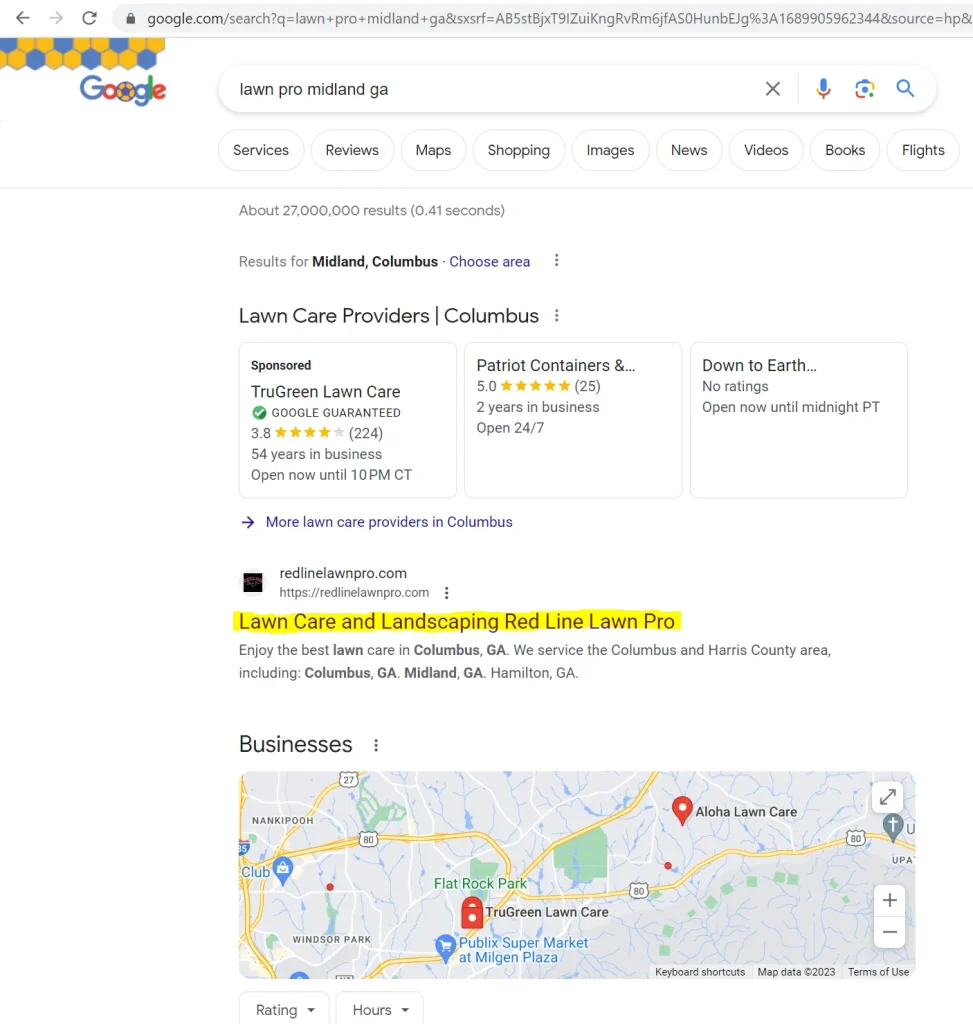
The most important conceptual shift for anyone managing multiple GBP listings is understanding that each location competes independently in its own local Map Pack.
A business with five locations does not have one GBP profile with five addresses. It has five independent GBP profiles, each with its own Relevance signals, its own Distance calculations,
its own Prominence score, and its own Map Pack competitors. The performance of one location has no direct bearing on the performance of the others.
This independence has a practical consequence that the original GMB era of management often missed: optimising one location well and leaving the others on minimal settings is not a strategy.
Each location that is under-optimised relative to its local competition is losing Map Pack positions in that specific market independently of how well the flagship location is performing. Multi-location management is not about managing one profile with multiple addresses.
It is about building and maintaining five, or fifteen, or fifty independent local SEO assets simultaneously.
Why each location needs its own everything
Each GBP location must have its own unique phone number. Sharing a single phone number across multiple locations violates Google’s listing guidelines and prevents Google’s systems from distinguishing between the locations as distinct entities.
Each location needs its own unique address, its own verification, its own category configuration appropriate to the services offered at that specific location, its own review acquisition workflow, and its own dedicated page on the business website.
A multi-location business that uses identical category configurations, identical descriptions, identical services menus, and the same phone number across all locations is not operating five GBP profiles.
It is operating one profile replicated five times, and each replicated location is missing the individual optimisation that would let it compete effectively in its local market.
Audit Every Location Against Its Local Competitors
GMB Crush runs competitor audits and geo-grid ranking maps for every location in your portfolio simultaneously. See which locations are underperforming and exactly what needs to change.
The technical setup for multiple GBP locations is handled through Google Business Profile’s business account structure, which allows a single management account to oversee multiple individual location profiles.
Getting this structure right at setup prevents the access management and ownership issues that cause problems later.
Business accounts and location groups
A GBP business account is the management layer that sits above individual location profiles.
When you create a business account at business.google.com, you can add multiple location profiles under it, manage them from a single dashboard, and assign different team members with different access levels to different groups of locations.
For businesses with locations across different regions, you can create separate location groups within the same business account — for example, one group for Northern locations and another for Southern locations — allowing regional managers to oversee their relevant subset without accessing the full portfolio.
To create a business account: sign in to business.google.com, click the account selector at the top of the page, and select ‘Create business account.’ Once created, you can add new locations to the account directly or transfer existing individually managed listings into the account.
Transferring an existing listing changes it from individual management to account management without disrupting its verification status or existing reviews.
Bulk location upload for large portfolios
For businesses adding ten or more locations simultaneously, Google provides a bulk upload process using a spreadsheet template rather than requiring individual manual entry for each location.
The template is accessible from the ‘Add location’ menu within your business account — select ‘Import locations’ and download the CSV template. Complete the required fields for each location (business name, address, phone, primary category, website URL) and upload the completed spreadsheet.
Bulk upload handles deduplication automatically — if a location you are uploading already has an existing GBP profile, Google will flag the potential duplicate for review rather than creating a second conflicting listing. After upload, each location requires individual verification before it becomes fully active and ranked. For large portfolios, chain verification is available for businesses that meet Google’s criteria, allowing bulk verification of many locations simultaneously rather than verifying each one individually.
Access management: owners, managers, and site managers
Google Business Profile provides three access levels for multi-location management. Owners have full control over the listing — they can edit all profile information, add and remove managers, delete the listing, and transfer ownership.
Managers can edit profile information and respond to reviews but cannot add owners or delete the listing. Site managers have the most limited access, able only to edit basic profile information without management-level capabilities.
For agency and enterprise deployments, the correct structure is: the business owner holds primary ownership, the managing agency has manager-level access, and any location-level staff have site manager access for their specific location.
Avoid granting owner-level access to external parties who do not need it — if an agency relationship ends, reclaiming ownership from an external owner who does not cooperate can be a lengthy process.
- Website Structure for Multi-Location SEO
Your website is the entity-reinforcement layer for every GBP location. Each location’s GBP profile needs a corresponding dedicated page on your website that confirms the location’s address, phone number, services, and other entity signals.
A multi-location business that links all its GBP profiles to a single homepage is missing a significant entity coherence opportunity for each location.
Location pages that build local entity signals
A dedicated location page for each branch should include the specific address and phone number for that location (matching exactly what is on the corresponding GBP profile), the specific services offered at that location, a Google Maps embed with the location’s pin, a direction link, and if possible some locally relevant content that signals genuine knowledge of and presence in that area.
The NAP on the location page must match the NAP on the GBP profile character for character, including formatting.
The URL structure for location pages should be consistent: /locations/city-name/, /branches/location-name/, or a similar clean hierarchy. Each location page should be in your main site navigation or reachable from a locations hub page within one to two clicks from the homepage.
Location pages buried in deep site hierarchies or reachable only through internal search do not build the same entity signal strength as pages with clear navigational access.
Avoiding thin location page penalties
The most common mistake in multi-location website strategy is creating identical pages for each location with only the address and phone number swapped.
Google’s quality evaluation systems identify these thin, templated location pages and devalue them, meaning they provide little entity reinforcement benefit and can actively dilute the overall quality signal of your website.
Each location page should contain something that is genuinely specific to that location: the team members based there, the specific services prominent in that market, local area references, reviews from customers at that location, or case examples from work completed in the area.
The minimum bar for a location page that builds useful entity signal is content that could not be copy-pasted unchanged to every other location page on your site.
Your Competitors Are Already Using GMB Crush
GBP audits, geo-grid maps, competitor analysis, review monitoring, and AI Overview insights across every location. Start your 14-day trial today.
- Review Management Across Locations
Review management at scale presents a challenge that single-location businesses do not face: how do you maintain consistent review acquisition, review response quality, and review monitoring across many locations without letting any individual location fall behind?
The businesses that manage this well at scale have built systematic workflows rather than relying on ad hoc management.

Building independent review workflows per location
The most effective review acquisition approach for multi-location businesses is to build the review request workflow at the individual location level, not as a central function.
A team member or manager at each location who personally asks customers for reviews immediately after a positive interaction, and sends a direct text with the review link within two hours, produces higher review velocity and richer review content than a centralised email campaign managed from headquarters.
The goal is four to six new reviews per month per location. A business with ten locations building this cadence consistently is adding forty to sixty new reviews per month across its portfolio, compounding Prominence across every location simultaneously.
The locations that receive this consistent review investment perform better in their local Map Packs than those that are relying on the central marketing function to manage all review acquisition.
Responding to reviews at scale
Review responses must happen at every location, not just at flagship locations. A location with ten unanswered reviews sends a weaker active management signal than one where every review has received a response within 24 hours.
For businesses managing responses centrally, a system that filters reviews by location and assigns responses to the appropriate team or manager ensures no location’s reviews go unanswered while maintaining consistency of response tone and brand voice.
Within your Google Business Profile business account, you can view all reviews across all locations from a single dashboard by accessing the reviews section at the account level rather than the individual listing level.
Filter by location group where needed. This centralised view makes it practical to monitor review activity across a large portfolio without logging into each location’s profile separately.
Maintaining consistent GBP post activity across multiple locations is the operational challenge that causes most multi-location businesses to either post inconsistently or post identically across all locations, both of which are suboptimal.
The correct approach depends on the scale of the portfolio and the degree of brand consistency required.
Location-specific vs. portfolio-wide content
For posts that are genuinely location-specific — a new team member at one location, a local event at a specific branch, a promotion running at one site only — the post should be created and published on the relevant location’s profile.
These posts are more authentic and more locally relevant than generic portfolio-wide content, and they produce better engagement signals.
For posts that apply across all locations — brand-wide promotions, seasonal campaigns, major news about the business — the same post content can be applied to all locations simultaneously using the bulk posting functionality in Google Business Profile, or through your GBP management workflow.
When using bulk posting, add a location reference to each post where possible (‘at our Manchester branch,’ ‘across all our London locations’) to add the geographic specificity that makes posts more relevant for local searches.
Maintaining minimum post cadence across all locations
Every location needs at minimum one new post per week to maintain active management Prominence signals.
For a portfolio of ten locations, this means ten posts per week minimum. Building a content calendar that plans the post schedule for each location in advance, with designated responsibilities for content creation and posting, prevents the common failure mode where flagship locations post consistently while smaller locations receive no posting activity for months.
The key factor is this: every gap between your profile and the profiles outranking you is either a Relevance gap, a Prominence gap, or an entity coherence gap. The competitive audit tells you which it is. The specific fix for each type of gap is different, which is why closing the right gaps first produces faster ranking improvement than applying effort evenly.
Multi-location GBP management has a specific set of structural mistakes that cost Map Pack positions systematically.
These are the most common ones, and all five are preventable.
Mistake 1: Shared phone numbers across locations
Using the same phone number for multiple GBP listings is the most common and most damaging multi-location mistake.
Google requires each GBP location to have a unique phone number that routes specifically to that location.
Shared numbers prevent Google from distinguishing between locations as distinct entities, dilute the individual entity signals of each listing, and often cause Google to merge or deduplication what it identifies as duplicate listings sharing identical contact information.
Mistake 2: Identical descriptions and services across all locations
A description and services menu that is copied identically across all locations sends no location-specific relevance signals.
Each location should have a description that references its specific location, the services most prominent at that branch, and any locally relevant context.
The services menu entries can follow a consistent structure across locations, but the descriptions for those services should be tailored to reflect any location-specific offering differences.
Mistake 3: All locations linking to the same homepage
Linking all GBP location profiles to the business homepage rather than location-specific pages means each location profile lacks a corresponding website entity confirmation.
The homepage is the company’s entity anchor. Each location needs its own page that confirms its specific address, phone, and service scope — the entity coherence signal that reinforces the location’s GBP data with matching website content.
Mistake 4: Centralised review acquisition that ignores individual locations
A centralised review campaign that drives reviews to the main location or sends generic requests without specifying which location the customer interacted with produces review accumulation on the wrong listings.
Customers who visited Location B and are asked to review the business generically may leave a review on Location A’s profile, which produces no Prominence benefit for Location B. Review acquisition must be location-specific — the request should direct the customer to the specific location’s Google review link.
Mistake 5: Inconsistent NAP across the portfolio
The more locations a business has, the more opportunities for NAP inconsistencies to accumulate.
An address format that is standardised differently across six directories for three different locations, a phone number updated on the GBP profile but not on the website or on Bing Places, a location that was closed or moved with the old listing still active — each of these inconsistencies weakens the entity signal for the affected location.
Multi-location businesses need scheduled NAP audits on at least a quarterly basis to catch and correct these inconsistencies before they compound into persistent ranking problems.
The key factor is this: each location that shares data with another location — the same phone number, the same homepage link, the same description — is competing with weaker entity signals than a location treated as a fully independent local asset. The businesses winning Map Pack positions across their full portfolio have built each location as if it were their only one.
The operational challenge of multi-location GBP management is not just building the profiles correctly — it is maintaining them correctly over time. Profiles change. Reviews arrive and go unanswered. User-suggested edits get applied to live listings.
Google’s automated systems update business hours or categories based on information from other sources.
Without active monitoring, these changes accumulate into ranking and conversion problems that are discovered only after the damage is done.
What needs monitoring at every location
- Profile accuracy: business name, address, phone number, hours, primary category. Any change applied by a user suggestion or Google’s systems that has not been authorised needs to be caught and corrected quickly.
- Review velocity: is each location maintaining the monthly review acquisition target? A location that has received no new reviews in six weeks is falling behind its local competitors on this signal.
- Review response gap: are there unanswered reviews at any location? A response gap of more than 48 hours on a review is a missed engagement signal.
- Post activity: is each location posting at minimum once per week? A posting gap of more than two weeks means the active management Prominence signal at that location has lapsed.
- Ranking position: is each location maintaining its Map Pack positions for its target search terms? A ranking decline at a specific location often indicates a competitor has improved their profile or that a profile change has weakened one of the location’s signals.
GMB Crush for portfolio-level monitoring
GMB Crush’s multi-profile monitoring surfaces ranking changes, profile edits, and review activity across every tracked location simultaneously.
Rather than logging into each location’s GBP dashboard individually — a time-consuming process that becomes impractical at ten or more locations — the monitoring dashboard shows which locations have had changes, which have new reviews requiring response, and which are showing ranking shifts.
For agencies managing multi-location client portfolios, this centralised monitoring replaces the manual check-each-profile workflow with an alert-driven system that surfaces only the locations requiring attention.
The geo-grid tracker can be configured for each location independently, showing the Map Pack ranking footprint for each location’s specific target search terms across its local area.
A location that is losing ranking positions in the outer parts of its catchment area will show a contracting geo-grid before the reduction appears in the location’s aggregate performance metrics — giving you the leading indicator to act on before the patient acquisition or revenue impact materialises.
Recommended Reading
NAP Audits: how to audit citation consistency across a multi-location portfolio
Monitor Every Location's Performance in One Place
GMB Crush’s multi-profile monitoring alerts you when any location’s data changes — reviews, profile edits, ranking shifts — so nothing falls through the cracks across a large portfolio.
- GMB Crush Takeaways
Multi-location GBP management done well is not managing one profile multiple times. It is building and maintaining multiple independent local SEO assets simultaneously.
Here is the operational framework:
- Structure each location as an independent entity: unique phone number, unique address, unique description, unique services menu entries with location-relevant content, and a unique dedicated page on your website that matches the GBP profile’s NAP exactly.
- Build review acquisition at the location level, not centrally: each location needs its own workflow — a direct ask from a local team member, a location-specific review link — producing four to six new reviews per month per location. Generic portfolio-wide campaigns produce reviews on the wrong listings.
- Avoid the five common mistakes: shared phone numbers, identical descriptions, homepage-only links, centralised review campaigns, and infrequent NAP audits. Each of these is preventable and each costs specific Map Pack positions at the affected locations.
- Schedule quarterly NAP audits across the full portfolio: inconsistencies in name, address, and phone formatting accumulate over time across a large portfolio. Catching and correcting them quarterly prevents them compounding into persistent entity signal problems.
- Use GMB Crush to monitor every location simultaneously: the geo-grid, competitor audits, review monitoring, and profile change alerts give you portfolio-level visibility without logging into each listing individually. The locations that fall behind are the ones that are not being watched.
A multi-location portfolio is only as strong as its weakest listing.
The location that has not been optimised, whose reviews have gone unanswered for six weeks, whose NAP has drifted across three directories, is losing its local Map Pack to a single competitor who is doing the basics consistently. Scale the operations, not the neglect.
One Platform. Every Location. Every Ranking Signal.
Audit, optimise, track, and outrank across your entire location portfolio. GMB Crush is built for businesses and agencies managing multiple GBP listings at scale. 14-day trial, no credit card required.
